


What Hybrid Meeting Camera Angle Captures Everyone?
- 360° panoramic cameras are the definitive best hybrid meeting camera angle for round-table and collaborative seating (3–15 people)
- 120–180° ultra-wide cameras work only for theater-style, front-facing seating
- Dual-camera setups are required for very large rooms with 15+ participants
- Standard 78–90° webcams create blind spots and capture only 1–3 people directly in front
- Coolpo AI Pana ($598.98) delivers 4K 360° coverage with AI speaker tracking from a portable, table-center position
- 43% of remote workers report feeling excluded from hybrid meetings, with poor camera coverage as the leading cause
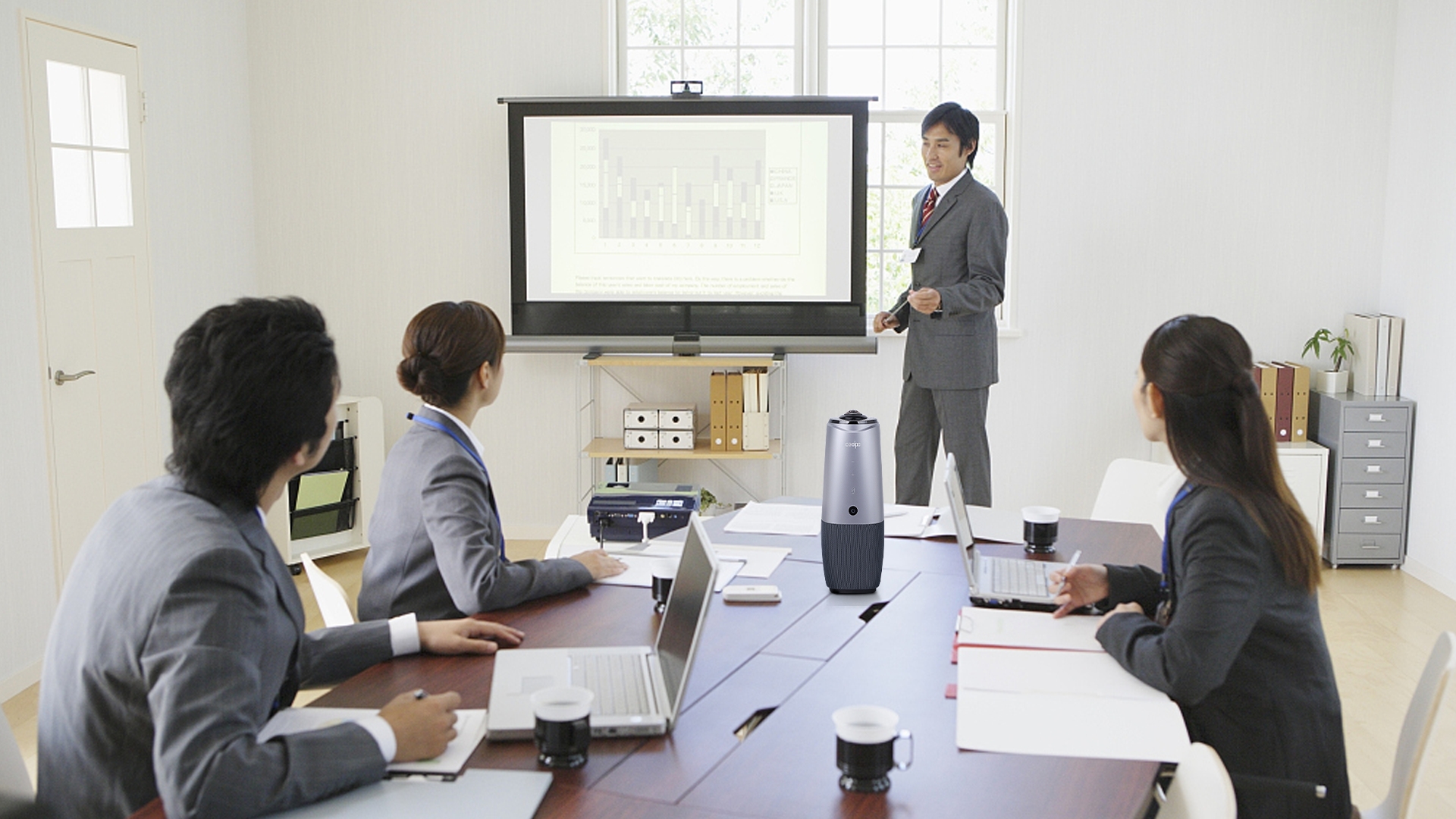
The hybrid meeting camera angle that captures everyone is 360° panoramic coverage, positioned at table center. For round-table or collaborative seating, a 360° camera like the Coolpo AI Pana eliminates blind spots entirely — every seat becomes a visible seat for remote participants.
Camera angle is the single biggest driver of remote participant exclusion in hybrid meetings. Get it wrong, and you create a two-tier experience where in-room attendees dominate while remote teammates struggle to follow a conversation they can only half-see.
Why Does Camera Angle Determine Hybrid Meeting Success?
Your camera angle decides whether remote participants can actually see who's talking, read the room's body language, and follow a conversation naturally. When a camera only catches part of the room, remote attendees lose the thread. They miss side conversations, can't tell who's addressing whom, and quietly check out of discussions they feel shut out of.
Microsoft's 2024 Work Trend Index, found that 43% of remote participants feel excluded from hybrid meetings, and pointed to poor camera coverage as the top reason. This isn't just a feelings problem. Remote attendees who can't see everyone in the room disengage faster, contribute less, and report lower meeting satisfaction.
There's a compounding effect too. When remote employees miss body language and off-camera side conversations, they lose the informal signals that shape real decisions. A McKinsey report on hybrid work found that employees who feel excluded from meeting dynamics report much lower team cohesion — a real cost to the business, not just an inconvenience. With 39% of knowledge workers now in hybrid arrangements, picking the right camera angle has stopped being a nice-to-have and become a business decision.
If you're not sure what camera size your room even needs yet, start asking yourselves with which conference room camera do I need?.
What Field of View Do You Actually Need?
Field of view (FOV) is the horizontal angle a camera captures, and different FOV ranges suit very different room setups:
The jump from 120° to 360° isn't a small upgrade , it's a different category. A 120° camera mounted at one end of a rectangular table still leaves the people sitting along the sides partly or fully invisible to remote attendees. A 360° camera at table center just doesn't have that blind spot.
The 5 Hybrid Meeting Camera Angle Solutions
1. Is 360° Panoramic the Best Angle for Round-Table Meetings?
Yes. For collaborative, round-table, or multi-directional seating, 360° panoramic is the clear winner.
Use it when:
- You've got a round or rectangular conference table
- People sit in multiple directions
- Meetings are collaborative, not one-way presentations
- You have 3–15 people in the room
- Seating shifts around or isn't fixed
Directional cameras force everyone to cluster inside a narrow field of view, which creates "bad seats" where some people just aren't visible to remote colleagues. A 360° camera at table center removes that problem entirely — there's no bad seat left.
Best 360° solution: Coolpo AI Pana ($598.98)
- 4K 360° video captures every participant at once, regardless of where they're sitting
- AI speaker tracking spots the active speaker and shows a dual view: full room panorama plus a close-up
- 8 beamforming mics with a 15-foot pickup radius that matches the video coverage — audio and video stay in sync
- No wall mounting, no professional install, no precise placement needed — plug in via USB and you're covered
- Portable enough to move between rooms in seconds and adapt to different table shapes
Setup:
Place the Coolpo AI Pana at the geometric center of the table and connect via USB to your meeting room PC or laptop. The 360° coverage means minor positioning variance does not create blind spots the way directional cameras do.
Solution 2: When Does a 120–180° Wide-Angle Camera Work?
A 120–180° ultra-wide camera works well only when everyone faces one direction — theater-style, classroom, or presentation-style seating where nobody's sitting along the sides.
Use it when:
- Everyone in the room faces the same direction
- Seating is classroom or theater-style rows
- The meeting is presentation-focused with one speaker up front
- You've got 4–10 people in fixed rows
Positioning tips:
- Mount on the front wall, 5–7 feet high
- Angle it slightly down to catch faces at seated eye level
- Put it above or beside the display screen remote participants will also be looking at
Solid ultra-wide options:
- Logitech MeetUp (120° FOV): 4–8 people, $400–$450
- Poly Studio P15 (120° FOV): 6–12 people, $550–$650
- Jabra PanaCast (180° FOV): 6–10 people, $650–$700
The catch: this setup breaks down the moment someone turns their chair, sits along the side of the table, or the meeting shifts from presentation to open discussion. If your room does double duty — presentations and collaborative discussion — go 360° instead.
Solution 3: Do Very Large Rooms Need Dual Cameras?
Once you're past 15–20 people, or the table's longer than 20 feet, yes — even 360° cameras start losing facial detail at that distance, so dual cameras become worth it.
Use this setup when:
- You've got 15–20+ people in the room
- The conference table runs 20+ feet
- It's a boardroom or executive meeting space
- Budget allows for $2,000–$5,000 total
Option A
Two 180° cameras on opposite walls. Covers the full room from both ends, gives you redundancy if one fails, and lets you switch views based on where the speaker is.
Option B
One 360° camera plus one PTZ camera. The 360° gives continuous full-room context; the PTZ delivers speaker close-ups. Together, remote participants get both the overview and the detail.
Heads up: dual-camera setups usually need professional AV integration ($1,000–$3,000) to get the network configuration and switching right — budget for that alongside the hardware.
Solution 4: What's the Best Angle for Multi-Use Spaces?
For shared spaces that host different kinds of meetings, the Coolpo AI Pana's 360° portability is the most practical answer — no wall mount means it moves between rooms in seconds without any reconfiguration.
Good fit for:
- Shared spaces hosting a mix of meeting formats
- Setups that need to move between rooms
- Temporary or flexible work environments
- Budget-conscious teams of 3–6 people
Solution 5: When Does a PTZ Camera Make Sense?
PTZ (Pan-Tilt-Zoom) cameras earn their keep in presentation-heavy or lecture-style meetings with one designated speaker — not in collaborative discussions with multiple people talking.
Good fit for:
- Training sessions or formal lectures
- Large rooms where a presenter moves around a stage or front area
- Meetings with one active speaker at a time
- Budgets of $800–$2,500 for premium tracking
What's good about PTZ:
- Close-up shots that follow the speaker as they move
- Zoom brings distant participants visually closer
- Works well with a human operator at the controls
What's not:
- Camera movement can be distracting mid-adjustment
- Whoever's off-camera during a pan just disappears temporarily
- AI tracking can get confused when multiple people talk at once
- Costs more than fixed-angle cameras for comparable video quality
For meetings with multiple speakers, fixed 360° coverage from the Coolpo AI Pana beats PTZ pretty consistently — no lag, no missed transitions, nobody left outside a moving frame.
How Does the Coolpo AI Pana Compare to Competitors?
The Coolpo AI Pana beats the Meeting Owl 3 on video resolution (4K vs. 1080p) at roughly 40% less the price — though the Owl edges it out on mic pickup radius (18 ft vs. 15 ft). The Jabra PanaCast 50 and Logitech Rally Bar Mini both need wall mounting and cover a narrower FOV at meaningfully higher prices.
How Should You Test Your Camera Angle?
Before you trust a new setup with an important meeting, run this three-part test.
Visual coverage test
- Seat everyone in their normal spots
- Join as a remote participant from a second device
- Check that everyone's clearly visible
- Look for blind spots at table edges, corners, and side seats
- Make sure faces are big enough to read expressions, not just silhouettes
Audio-visual sync test
- Have each person speak individually from their seat
- Confirm the remote view actually shows who's talking
- Check that AI speaker tracking kicks in correctly
- Watch for audio-video delay, especially on wireless setups
- Confirm audio pickup is even across all seats, not just the ones closest to the camera
Movement and flexibility test
- Have people shift seats
- Confirm coverage holds up regardless of the new positions
- Test with someone standing (relevant for hybrid presentations)
- Make sure nobody disappears during normal repositioning
- Check the angle when people turn toward a side screen or whiteboard
What good looks like: every in-room participant clearly visible no matter where they sit, faces big enough to read expressions, zero blind spots at the table edges, and AI speaker tracking finding the active speaker on its own.
Summary
The hybrid meeting camera angle that captures everyone depends on room configuration: 360° panoramic coverage for round-table or multi-directional seating (Coolpo AI Pana at $598.98 positioned at table center), 120-180° ultra-wide angle for front-facing theater-style seating (wall-mounted at room front), or dual-camera setups for very large rooms exceeding 15 participants. Traditional 78-90° webcam angles create blind spots where participants at table edges remain invisible to remote attendees. Choose camera angle based on your seating arrangement—the optimal hybrid meeting camera ensures every in-room participant appears equally visible regardless of where they sit.
1. What hybrid meeting camera angle captures the most people?
A 360° panoramic angle captures the most people. Positioned at the center of a conference table, a 360° camera like the Coolpo AI Pana covers every seated participant at once — no corners left out of frame.
2. Is a 360° camera necessary, or can a wide-angle camera cover a full conference room?
Depends on your seating. If everyone faces one direction — theater or classroom rows — a 120–180° camera mounted at the front will cover the room fine. But if people sit around a rectangular or round table facing different directions, a wide-angle camera will always leave the side seats partly or fully invisible to remote attendees. Since most conference rooms are used for collaborative discussion, 360° is usually the safer call.
3. Where should I position my hybrid meeting camera for the best angle?
Put 360° cameras at the center of the table — that gives equal-distance coverage to everyone and lines up video and mic pickup at the same time. Put 120–180° directional cameras on the front wall, mounted 5–7 feet high and angled slightly down to catch faces at seated eye level. Avoid putting directional cameras at the table ends — that makes near-side participants look huge and far-side participants tiny, which feels unnatural on the remote end.
4. Can I use a laptop webcam as my hybrid meeting camera?
Only for one-on-one calls, really. A standard laptop webcam has a 78–90° FOV and sits at one end of the table, so it only catches the 1–3 people right in front of the screen — everyone else is invisible or barely visible to remote attendees. For 3+ people in the room, you want a dedicated conference camera with at least 120° FOV, ideally 360°.
5. What's the best camera angle for a small team of 3–6 people?
Even for a small team, 360° at table center is usually the most effective and cost-efficient call. At $598.98, the Coolpo AI Pana costs less than most 120° wall-mounted alternatives, needs no installation, and keeps covering the room as your team grows toward 15 people — so you're not buying new hardware every time headcount changes.
Recent blogs
Best Webcam for Zoom Meetings That Works Seamlessly with Microsoft Teams


Why Clear Audio for Public Safety Dispatchers Matters When Lives Are at Stake
Reliable
Innovation
Touch


