
Affordable Conference Room Camera For Small Businesses
For an affordable conference room camera for small businesses, the best option is a device specifically designed to capture multiple participants clearly during virtual meetings while staying within a practical budget.
A conference room camera is a specialized video device built to provide wider coverage and better image quality than standard webcams. For teams operating with limited budgets, affordable conference room cameras typically range from $150 to $700, delivering professional video conferencing performance without the high cost of enterprise systems that can run from $1,500 to $3,000 or more.
Understanding Your Budget and Requirements
Small businesses need professional video presence without overspending on unnecessary enterprise features. The affordable conference room camera market offers excellent options across wide-angle and 360-degree coverage categories. Conference room cameras should feature at minimum a 90-degree field of view to effectively capture multiple participants, distinguishing them from standard webcams designed for individual users.
Your ideal camera choice depends on three factors: participant count per meeting, room layout and seating arrangement, and whether your team uses collaborative round-table discussions or structured presentations facing a screen.
Top 5 Affordable Conference Room Cameras for Small Businesses
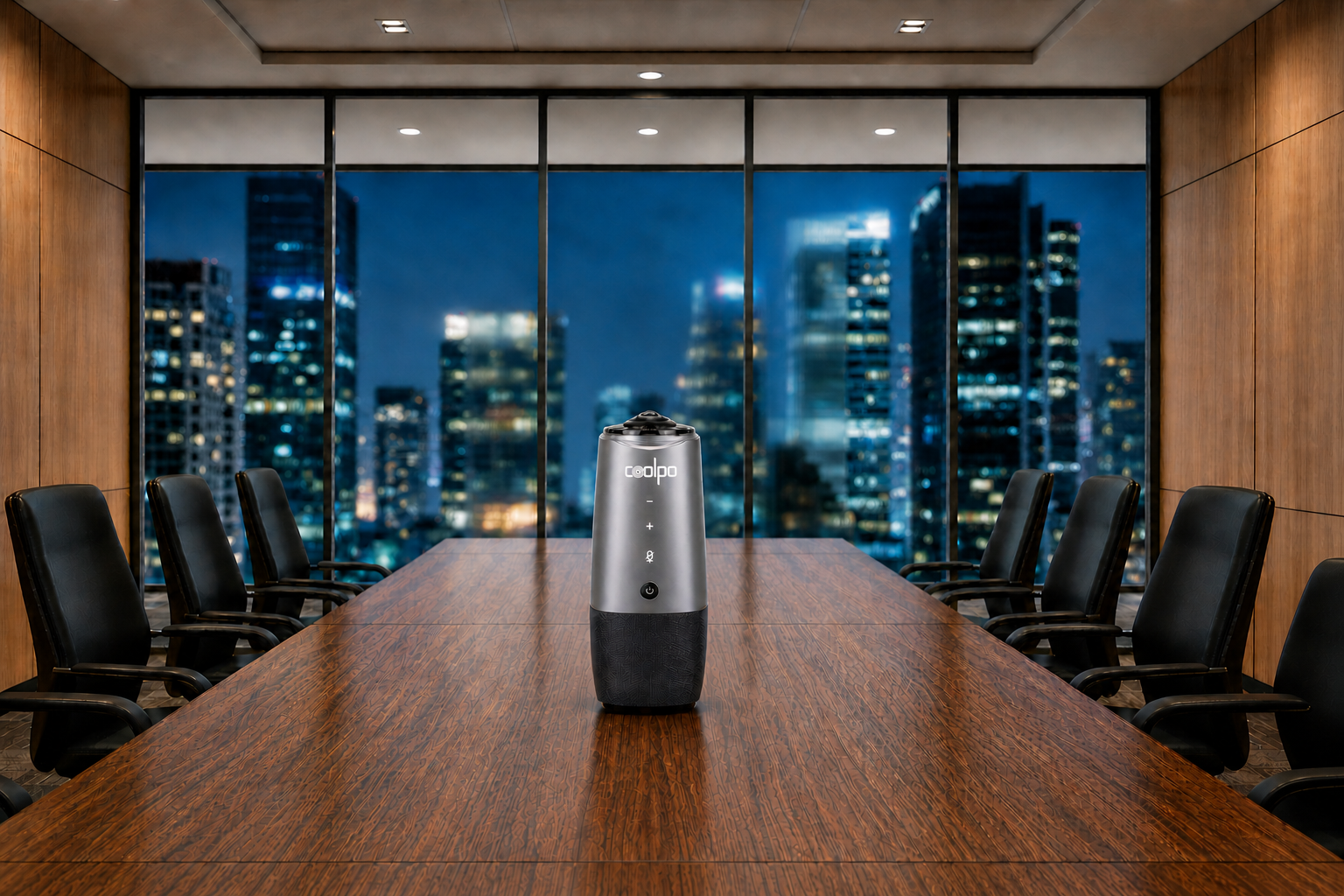
1. Coolpo AI Pana - $598.98
Best for: 3–15 participants in small to growing businesses seeking maximum flexibility
Specifications: 360-degree panoramic video, 4K resolution, 8 smart microphones with 360-degree voice pickup up to 15 feet, dual positioning modes (Panorama and Division), gesture recognition
Why it's worth it: The Coolpo AI Pana is the top pick for small businesses because it scales seamlessly from a 3-person huddle to a 15-person meeting without any repositioning or adjustments. Eight beamforming microphones deliver crystal-clear audio from every seat in the room, while gesture recognition and multiple AI tracking modes bring enterprise-level functionality at roughly half the cost of traditional enterprise systems. Its center-table placement requires no wall mounting, reducing setup costs entirely. Unlike fixed-capacity cameras that serve only one room size, the Coolpo AI Pana adapts to your changing meeting dynamics — making it the most versatile and future-proof option in the affordable category.
Value rating: Best overall investment. Premium features yet affordable, especially for small to medium businesses with variable meeting sizes or growth plans.
2. NexiGo N970P - $180–$220
Best for: 4–6 participants in small meeting rooms
Specifications: 103-degree ultra-wide field of view, 1080p resolution, auto-light correction, dual noise-canceling microphones
Why it's worth it: The wider 103-degree field of view captures more participants than similarly priced competitors. Auto-light correction handles varying lighting conditions without manual adjustment. An excellent entry point for small businesses needing wide-angle coverage without premium pricing.
Value rating: Best bang-for-buck in the budget category for small teams. However, the 1080p resolution and limited microphone range may feel restrictive as your team grows. Will likely need to upgrade sooner rather than later, adding to long-term costs.
3. Logitech MeetUp - $400–$450
Best for: 6–8 person conference rooms with front-facing seating
Specifications: 120-degree field of view, 4K resolution, motorized pan-tilt-zoom, 3-microphone array with 8-foot pickup range
Why it's worth it: Professional-grade 4K resolution future-proofs your investment. RightSound audio optimization eliminates the need for a separate speakerphone. The motorized PTZ allows remote participants to control viewing angles. A trusted brand known for proven performance in client-facing meetings.
Value rating: Premium features at mid-range pricing, excellent for client-facing meetings. That said, the front-facing fixed setup means it only works well when participants are seated in one direction — round-table or flexible seating arrangements will leave people outside the frame.
4. Poly Studio P15 - $550–$650
Best for: 8–12 person conference rooms requiring premium audio quality
Specifications: 120-degree field of view, 4K resolution, automatic group framing, integrated soundbar with stereo speakers
Why it's worth it: The integrated soundbar eliminates separate audio equipment costs. Advanced noise-blocking technology ensures clear communication even in busy office environments. The all-in-one design simplifies setup and reduces cable management.
Value rating: A solid all-in-one solution that reduces the need for separate audio purchases. One thing to consider is that the 120-degree field of view still has coverage limits. If your room layout changes frequently, this fixed coverage may become a limitation.
5. Jabra PanaCast - $650–$700
Best for: Businesses prioritizing ultra-wide field of view with traditional front-facing setup
Specifications: Three 13-megapixel cameras creating a 180-degree panoramic view, 4K resolution, real-time video stitching, whiteboard content enhancement
Why it's worth it: The intelligent 180-degree view captures wider areas than traditional cameras without requiring full 360-degree coverage. Whiteboard enhancement technology makes written content clearly visible to remote participants. The three-camera system delivers superior image quality through advanced stitching.
Value rating: An excellent choice for presentation-heavy meetings with heavy whiteboard usage. However, at this price point it lacks full 360-degree coverage, meaning participants seated behind the camera remain completely out of frame. For businesses with round-table seating or dynamic layouts, this is a significant blind spot to account for before purchasing.
Total Cost of Ownership Considerations
Beyond purchase price, evaluate these factors:
Warranty coverage
Entry-level models typically offer 1-year warranties, while premium options provide 2–3 years. Extended warranties protect your investment and signal manufacturer confidence in product longevity.
Required accessories
USB-powered cameras eliminate electrical work costs. Models requiring separate power supplies or mounting hardware add $50–$150 to total investment. The 360-degree Coolpo AI Pana's center-table placement requires no wall mounting or installation costs.
Software subscriptions
All recommended cameras operate without mandatory subscription fees. Verify that AI features and firmware updates remain free rather than requiring ongoing payments.
Platform compatibility and setup costs
All recommended cameras support Zoom, Microsoft Teams, Google Meet, and Webex through USB Video Class (UVC) plug-and-play connectivity. This universal compatibility eliminates:
- IT support costs for installation and configuration
- Proprietary software licensing fees
- Platform-switching penalties if you change video conferencing providers
Replacement cycle
Budget cameras may need replacement in 2–3 years. Premium affordable options ($500–$700) typically last 4–5+ years, making them more cost-effective long-term despite higher upfront costs.
Summary
Choosing the right conference room camera starts with understanding your room size, seating layout, and collaboration needs. Small rooms perform well with wide-angle 1080p cameras, medium spaces benefit from intelligent framing and broader coverage, while large rooms require PTZ or ultra-wide 4K solutions to maintain visibility and clarity. Beyond video resolution, prioritize balanced audio pickup that reaches all participants, reliable echo cancellation, and simple connectivity such as USB plug-and-play for seamless deployment. Align your investment with room scale and expected growth to ensure long-term usability and consistent meeting performance.
Recent blogs
.png)
.png)
What should I consider when choosing Smart 360-degree Video Conference Cameras?

.png)

What Tools and Platforms Are Best for Managing Hybrid Work Environments?

Reliable
Innovation
Touch


