
How to Improve Video Quality on Google Meet or Zoom?
Improving video quality on Google Meet and Zoom is a common troubleshooting issue because both platforms rely heavily on the same factors—internet stability, device performance, lighting, and camera setup. While the apps handle video differently in terms of compression and optimization, poor video quality usually comes from setup limitations rather than the platform itself.
This guide breaks down practical ways to improve video quality across both tools so meetings stay clear, stable, and professional.
Use a Stable Internet Connection
A stable connection ensures consistent video transmission across both platforms.
What to do:
- Use wired (Ethernet) connection if possible
- Avoid downloads or streaming during calls
- Test connection before meetings
Unstable internet often causes lag, resolution drops, or frozen video.
Enable HD Video Settings
Default settings often limit video quality to maintain stability.
What to do:
- Enable HD in Zoom settings
- Set high resolution in Google Meet
This allows the best possible clarity when bandwidth allows.
Improve Lighting
Lighting affects clarity more than most camera settings.
What to do:
- Face natural or soft light
- Avoid strong backlighting
- Keep lighting consistent throughout the call
Good lighting improves visibility even with basic webcams.
Use a Better Camera
Built-in webcams often limit sharpness and detail.
What to do:
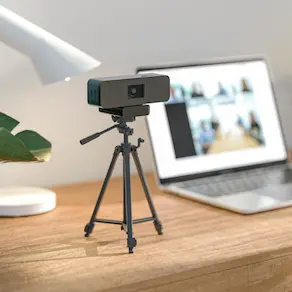
- Upgrade to an external HD webcam
- Choose cameras with better low-light performance
- Position camera at eye level
This improves image clarity and stability in all conditions.
Optimize Device Performance
Your device handles video processing in real time.
What to do:
- Close unused applications
- Keep system updated
- Restart device before important meetings
A lighter system load helps prevent lag and frame drops.
Fix Camera Positioning
Framing affects how clear and professional you appear.
What to do:
- Keep camera at eye level
- Avoid extreme angles
- Keep framing stable
Proper positioning improves visual consistency.
Reduce Network Load During Calls
Bandwidth is shared across all devices on your network.
Avoid during meetings:
- Streaming videos
- Large downloads or uploads
- Multiple devices heavily using Wi-Fi
This helps maintain stable video quality throughout the call.
Match Setup to Meeting Type
Different meetings require different setups.
1-on-1 Meetings
- Basic webcam setup is usually enough
- Simple lighting is sufficient
- Focus is on individual framing
Group / Hybrid Meetings
- Wider framing is needed for multiple participants
- Stronger lighting improves room visibility
- Audio and video need broader coverage
In group settings, standard webcams may struggle with coverage and consistency, which is why some teams use integrated solutions like Coolpo PANA for wider video capture and room audio coverage. .
Adjusting your setup based on meeting type improves overall communication quality.
Platform-Specific Improvements
While both platforms rely on similar conditions, they perform differently based on how they are optimized.
Zoom
Zoom works best when:
- Using the desktop app instead of browser
- Keeping HD and performance settings enabled
- Disabling unnecessary visual effects
- Keeping the app updated
It performs more consistently when given full system access.
Google Meet
Google Meet works best when:
- Using Chrome or Edge browser
- Closing unused tabs
- Disabling heavy extensions
- Avoiding multiple browser windows
Performance depends heavily on browser efficiency.
Quick Tips to Improve Video Quality Instantly
For fast improvements before a call:
- Position yourself facing a light source
- Check camera preview before joining
- Clean your camera lens
- Use a stable seating position
- Restart device if performance feels slow
- Keep background simple
These small adjustments improve clarity without changing your full setup.
Quick Tips to Improve Video Quality Instantly
If you need fast improvements before a call, focus on quick adjustments that have immediate impact:
- Join the meeting a few minutes early to check your camera preview
- Adjust lighting and framing based on what you see on screen
- Move closer to your router if using Wi-Fi
- Pause other devices using the same network
- Clean your camera lens (often overlooked but affects clarity)
- Keep your background simple to help your camera focus better
These small, real-time adjustments can improve video clarity without changing your setup or buying new hardware.
Improving video quality on Google Meet or Zoom is about optimizing your entire setup—from internet and lighting to hardware and device performance. When these elements are aligned, your video becomes clearer, more stable, and more professional across any meeting environment.
Recent blogs




Reliable
Innovation
Touch


