カート
Your cart is empty
Continue shopping
Drawer menu
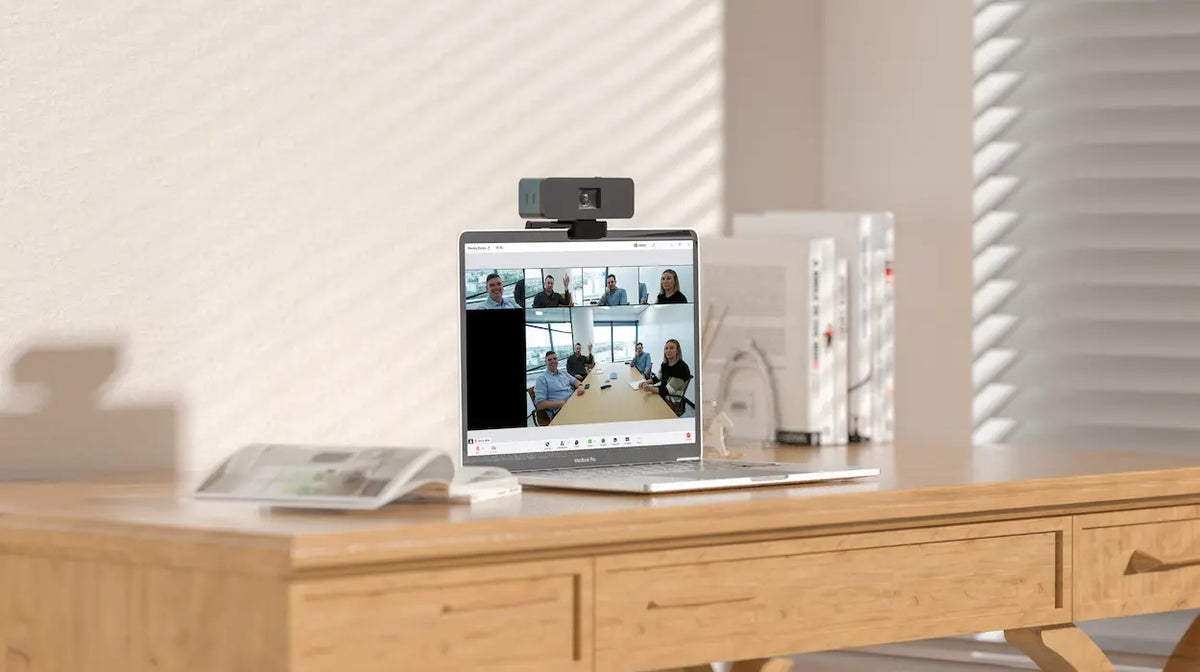
Having your own home office can set you apart from other remote workers. However, it is also important to have reliable, top-tier remote work tools, such as communication, collaboration, and office equipment.
According to Forbes, nearly 9 out of 10 people feel it is difficult to use video when working from home, and 85% struggle with audio. Furthermore, only about 4 in 10 people are provided with additional tools beyond a mouse and keyboard by their employer.
Some companies seem to think that giving remote employees extra tools is just a waste of money. Does it affect employee productivity?
In this article, we explain why investing in a good home office pays off.
From a corporate perspective, CFOs are reluctant to spend more on equipment for employees' home offices since they are already paying for office equipment. Similarly, technology and facilities staff are hesitant to assist with home setups, believing that since the company allowed remote work, the employees should purchase their own equipment and furniture.
On the other hand, for employees, the majority are not paying for their own home office equipment. Employees believe that the company should provide the necessary supplies for working from home and that it is not fair for them to spend their own money on it.
As a result, employees face technical and ergonomic issues, making it difficult for them to work productively and comfortably. Lack of ergonomic furniture leads to physical discomfort, while worrying about how they appear on camera leads to mental stress.
Read more: Why an Ergonomic Remote Work Setup is Better and Helpful to You
Also, not having the necessary equipment can lead to frustration and resentment, which can impact employee retention for the company.
Furthermore, employee collaboration and communication suffer. Poor video and audio quality affects not only the employees themselves but also the people they speak with, including colleagues, clients, vendors, and investors.
Nearly two-thirds (64%) of employees are bothered by insufficient or inadequate lighting at home while working. This can lead to poor visibility and an inability to focus on work, impacting productivity and well-being.
Additionally, poor lighting can cause physical issues like eye strain and headaches, making it difficult to work for long periods.
About 60% of employees face issues with the sound quality coming from their PC speakers while working. This can make it difficult to hear clearly during video conferences or when listening to audio files, affecting communication and work efficiency.
It can also be distracting and frustrating, impacting productivity and job satisfaction.
Approximately 58% of employees stated they have to sit in uncomfortable positions to appear on camera during video conferences, causing physical discomfort and affecting concentration and productivity.
This may be because the placement of the computer, camera, or lighting is not optimized for comfortable and effective video conferencing.
Here are some steps you can take or propose to your company to achieve the best hybrid work home office setup that improves employee productivity and well-being:
Ask employees to suggest or share their pain points and ideas regarding specific technology, tools, and furniture solutions that work well for them.
Present the list in another survey and adjust it based on employee feedback.
Arrange for IT and facilities staff to visit homes to support those who need help operating the equipment. For tax purposes, establish a policy requiring departing staff to donate bulky furniture that is difficult to return to a facility. Finally, cover the cost of high-speed internet for employees.
One of the communication and collaboration tools you should request from your company is an all-in-one video conferencing camera that provides high-quality, clear audio that you can use as a camera, speaker, and microphone.
The best video conferencing camera available on the market is the Coolpo AI Huddle Pana, a 360-degree conferencing camera that supports 1080p video conferencing solutions, 360-degree FOV, four smart microphones, and all-surround speakers.
Thanks to its plug-and-play functionality, it sets itself apart from other cameras because, unlike Bluetooth or Wi-Fi connected devices, it is less susceptible to wireless vulnerabilities. Simply plug it directly into your laptop or computer; there is no need to download additional drivers or software.
The AI Huddle Pana is compatible with Zoom, Microsoft Teams, Skype, and more.
Achieve a 360-degree panoramic view with our all-in-one video conferencing device. Buy now!
Enhancing your home office can improve the productivity and benefits of remote workers. However, many companies are hesitant to provide additional tools and equipment, leaving employees to struggle with technology and ergonomic issues.
Insufficient lighting, poor sound quality, and bad posture during video conferences are common problems for remote workers.
To address these issues, companies should seek feedback from employees, provide necessary equipment and furniture, and offer setup support. Such efforts can improve employee productivity, happiness, and job satisfaction.


