Your cart
Your cart is empty
Continue shopping
Drawer menu
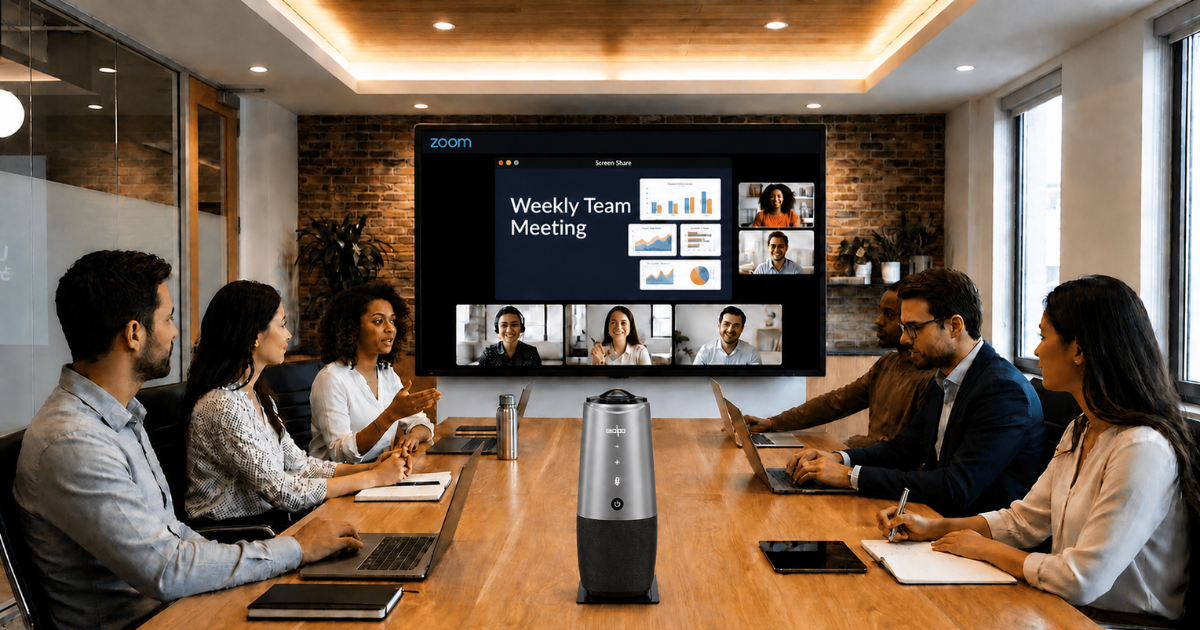
The best tools and strategies to overcome hybrid work challenges include video conferencing platforms, project management tools, async communication systems, and proper meeting room setups like Coolpo AI Huddle PANA. Hybrid work offers flexibility, but it also introduces challenges in communication, collaboration, and team alignment.
Below, we break down what actually works, combining the right tools with practical strategies to help teams stay productive and connected
Most hybrid struggles trace back to what experts call the "5 C's" of hybrid work — Communication, Coordination, Connection, Creativity, and Culture. In practice, these show up as:
Understanding these hybrid work challenges is the first step. If you're still defining how your team should operate, it helps to review the most common hybrid work models and the differences between remote, flexible, and hybrid work before choosing your tools.
Zoom, Microsoft Teams, and Google Meet are the backbone of hybrid meetings. Standardize on one so everyone knows how to join, share, and record without friction.
Asana, Trello, and ClickUp give every task an owner, a status, and a deadline that's visible to the whole team — closing the "who's doing what" gap that derails distributed work.
Slack, Discord, and Notion let people contribute on their own schedule. Async-first communication means progress doesn't stall just because teammates are in different time zones.
For the meeting room itself, an all-in-one device beats a scattered webcam-and-speaker setup. The Coolpo AI Huddle PANA combines a 360° camera, microphones, and speakers with AI speaker tracking, so remote participants see and hear everyone equally. Paired with the IGNITE Headset or IGNITE Speakerphone for individuals, it levels the playing field between in-office and remote staff. For a full room comparison, see our guide to the best portable hybrid meeting equipment.
Here are some strategies to overcome hybrid work challenges:
Adopt a documentation-first habit by doing decisions, updates, and context go in writing where everyone can find them, not just in live meetings. Also, try to centralize information and avoid scattered tools. More importantly, Treat everyone as in person even if some are working remotely. Remember, if it’s not documented, it doesn’t exist in hybrid work.
Agree on one tool per job. You can choose one place for chat, one for tasks and one for docs so nothing gets lost across overlapping apps. You can also choose an app that has multiple features that caters to your needs to reduces confusion and tool overload.
Assume at least one person is working remote and build the meeting around that idea. Everyone joins the call individually or the particpants in the officecan use a 360° conference camera device, and there's a shared agenda doc.
Watch for proximity bias. Its where in-office employees get more visibility and opportunities. Equal-experience meetings and written updates keep remote staff on a level footing. Hybrid setups fail when some employees feel invisible.
Instead of rigid mandates, use "anchor days" or agreed days when a team comes in together for collaboration, workshops, and connection and leave focused solo work for remote days. Avoid random or unstructured attendance as office time should be designed for value not just presence.
Reserve real-time meetings for genuine discussion. Everything else like status updates, reviews, and FYIs works better asynchronously and protects everyone's focus time. This supports productivity across different schedules and time zones.
Great strategy still fails on bad audio and video. Reliable meeting hardware is what makes hybrid-first meetings actually work day to day. Good microphone and camera doesn't have to be experience. You can invest in all-in-one conference camera that has complete audio-video coverage. One device, multiple feature which not only saves money but also saves time when setting it up. To see how the right tools also protect work-life balance, learn how remote tech solutions impact productivity and work-life balance.
You don't need a complex stack. A simple, effective foundation looks like this:
Start here, standardize how your team uses each tool, and layer on more only when a real need appears. This combination balances communication, collaboration, and execution without overcomplicating your workflow.
Hybrid work only works when it’s intentional. The right mix of tools, structured communication, and well-designed workflows turns flexibility into real productivity. Without that structure, even the best tools won’t solve the problem.


