
Best Tools to Facilitate Better Team Discussions
Teams facilitate better discussions with a mix of communication platforms (Slack, Microsoft Teams), visual collaboration tools (Miro, FigJam), documentation systems (Notion), AI meeting assistants (Otter.ai, Fireflies.ai), and — for hybrid or room-based meetings — integrated conferencing hardware like Coolpo PANA. The biggest gains come from connecting these tools into one workflow rather than using them in isolation.
To facilitate better team discussions, teams typically draw on six categories of tools — spanning everyday communication, visual brainstorming, documentation, AI-assisted note-taking, and, for hybrid or room-based meetings, the physical conferencing hardware that shapes how well remote participants can follow along.
These tools work across six key areas — communication, collaboration, documentation, AI support, meeting environment, and workflow integration — to help teams share ideas clearly, stay aligned, and turn discussions into actionable outcomes.
Communication Tools (Where discussions happen)
Team discussions usually start in a shared communication space where ideas are exchanged in real time.
- Slack – Channel-based messaging for fast, organized communication
- Microsoft Teams – Combines chat, meetings, and file sharing in one system
- Google Chat – Simple messaging for Google Workspace users
These tools keep conversations active without needing formal meetings for every update.
Visual Collaboration Tools (Where ideas are shaped)
When discussions become complex, visual tools help teams align faster.
- Miro – Digital whiteboard for brainstorming and mapping ideas
- FigJam – Lightweight space for quick ideation and feedback
- Lucidchart – Structured diagrams for workflows and systems
These tools turn abstract conversations into shared understanding.
Meeting & Documentation Tools (Where decisions are captured)
Discussions only become valuable when they are properly recorded and structured.
- Notion – Central workspace for notes, projects, and documentation
- Zoom – Meeting recording and sharing
- Microsoft Teams – Built-in notes and meeting recaps
These tools ensure decisions and action items are not lost after discussions.
AI Meeting Assistants (To reduce manual work)
Modern tools help teams focus more on discussion rather than note-taking.
- Otter.ai – Real-time transcription and searchable meeting notes
- Fireflies.ai – AI summaries and searchable meeting history
- Fellow – Agenda building, notes, and action tracking
These tools make it easier to review and act on discussions after meetings.
Integrated Meeting Setup (Where real collaboration happens)

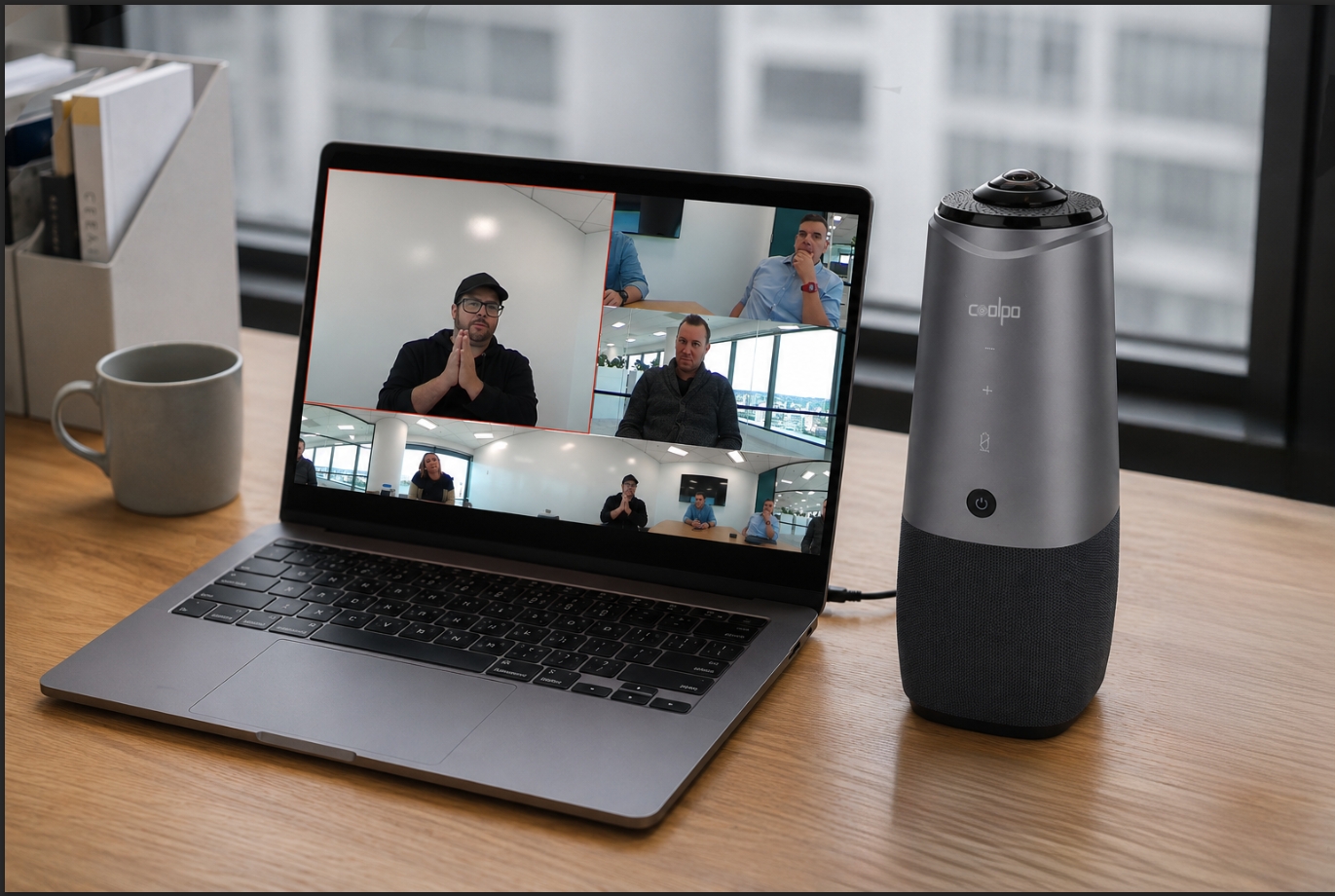
Software tools handle communication and documentation, but in hybrid or room-based discussions, the physical setup also affects how well people connect. In many cases, integrated conferencing systems like Coolpo PANA help improve room coverage and audio pickup, ensuring both in-room and remote participants can follow and contribute to the discussion clearly.
For guidance on matching a camera to your space, see Which Conference Room Camera Do I Need? (By Room Size).
Integration & Workflow Tools (To connect everything)
The real improvement happens when tools are connected into one workflow instead of used separately.
- Slack integrations for meeting updates and summaries
- Notion as a centralized knowledge hub
- Automated syncing between chat, meetings, and documentation tools
This reduces fragmentation and keeps discussions organized in one system.
Teams still struggling to get full adoption across a distributed workforce may find it useful to review Best Tools and Strategies to Overcome Hybrid Work Challenges.
How to Choose the Right Tools for Your Team
With so many categories above, the right stack depends on a few factors:
- Team size and structure – Small or fully in-office teams may only need one communication tool plus a shared document space; larger or distributed teams typically need all six categories working together.
- Hybrid vs. remote balance – Teams with a physical meeting room benefit most from pairing software tools with dedicated conferencing hardware, since audio and camera quality directly affect how well remote participants can follow the discussion.
- Integration needs – Favor tools that already connect to your existing stack (e.g., Slack-Notion syncing) over adding a disconnected new app.
- Budget and adoption – A smaller set of tools used consistently outperforms a large stack that only half the team actually uses.
Getting more out of your existing tools also means improving day-to-day productivity across a remote or hybrid setup.
Conclusion
Tools that help facilitate better team discussions — such as Slack, Microsoft Teams, Miro, Notion, and AI assistants like Otter.ai and Fireflies.ai — become most effective when used together within a connected workflow. When communication, collaboration, documentation, AI support, and hybrid meeting setups like PANA are aligned, teams can communicate more clearly, align faster, and turn discussions into meaningful outcomes.
1. What are team collaboration tools?
Software that helps teams communicate, share ideas, document decisions, and coordinate work — spanning messaging apps, visual whiteboards, documentation systems, and meeting tools.
2. What's the best free tool for team discussions?
Slack and Google Chat both offer capable free tiers for messaging, while Zoom's free plan covers most short meetings.
3. How do AI meeting assistants help team discussions?
Tools like Otter.ai and Fireflies.ai transcribe and summarize meetings automatically, so teams can stay focused on the conversation instead of note-taking.
4. Do hybrid teams need dedicated meeting room hardware?
Yes, when a physical room is involved — software alone can't fix poor room audio or camera coverage, which is where systems like Coolpo PANA come in.
Recent blogs


%20(3).jpg)
.png)


Reliable
Innovation
Touch


