
What Are the Best Tools for Effective Remote Work and Telecommuting?
The best tools for effective remote work and telecommuting in 2026 include communication platforms, project management systems, cloud collaboration tools, AI productivity assistants, scheduling software, security solutions, and reliable video conferencing technology. These tools help remote teams stay connected, organized, productive, and aligned while reducing communication gaps and workflow delays.
Below are the most important tools businesses use to support efficient remote work and telecommuting.
Why Remote Work Tools Matter
Remote work relies heavily on communication, organization, and collaboration. Without connected systems, teams often experience:
- Miscommunication
- Delayed responses
- Scattered workflows
- Poor virtual meeting experiences
- Difficulty tracking projects and deadlines
- Limited collaboration visibility
Effective telecommuting is not just about working from home—it’s about creating systems that allow teams to collaborate efficiently from anywhere.
Communication and Team Messaging Platforms
Fast and organized communication is essential for remote teams.
Many businesses use platforms such as:
- Slack
- Microsoft Teams
- Google Chat
- Discord
These tools centralize conversations, updates, notifications, and file sharing in one place. This helps reduce email overload and improves collaboration across distributed teams.
Video Conferencing and Virtual Meeting Tools
Video conferencing remains one of the most important parts of remote work and telecommuting.
Popular meeting platforms include:
- Zoom
- Microsoft Teams
- Google Meet
- Cisco Webex
Reliable conferencing tools help teams maintain clearer discussions, presentations, brainstorming sessions, and client meetings. Strong audio and video quality also improve professionalism during remote collaboration.
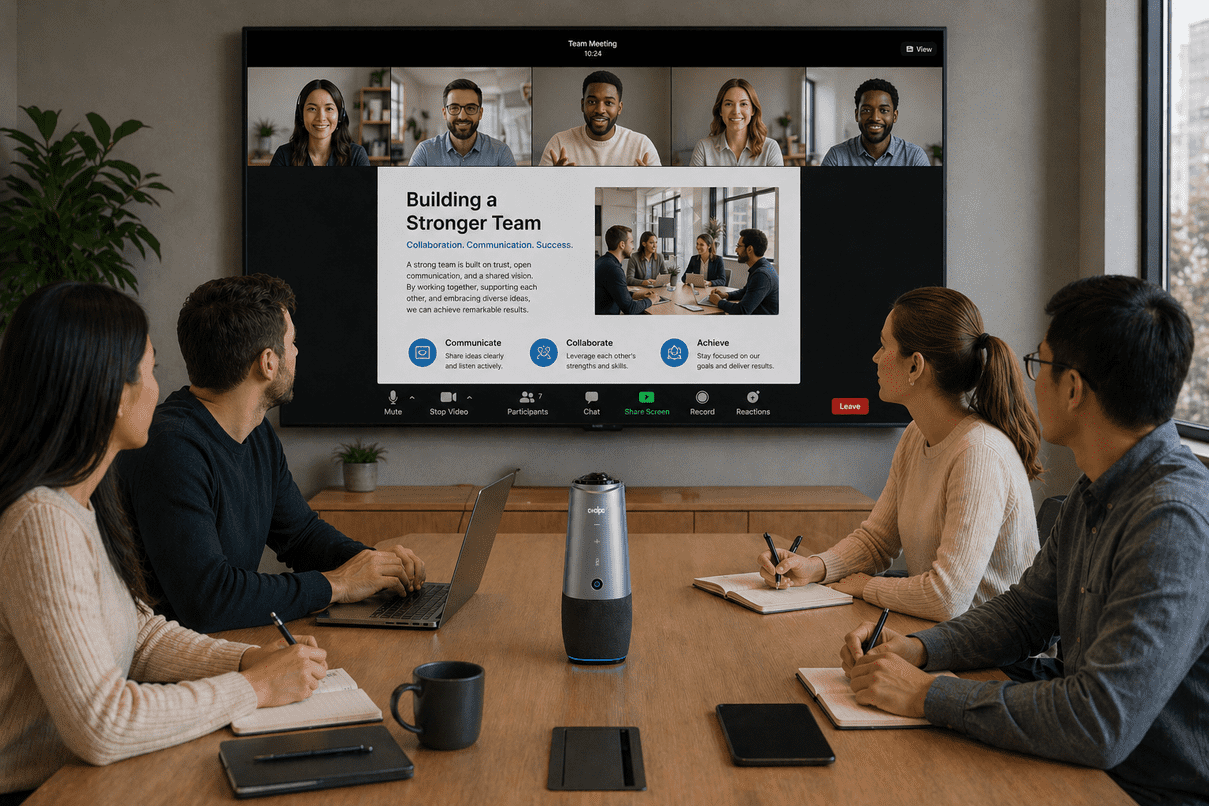
For hybrid meetings, solutions like the Coolpo AI Huddle PANA help improve communication with integrated 360° video, microphones, speakers, and AI speaker tracking in one device.
Project and Task Management Systems
Remote teams need visibility into tasks, responsibilities, and deadlines.
Common project management platforms include:
- Asana
- Trello
- ClickUp
- Monday.com
These systems help teams organize projects, assign responsibilities, monitor progress, and improve accountability across remote workflows.
Cloud Storage and Collaboration Platforms
Remote work depends heavily on secure and accessible file sharing.
Popular cloud collaboration platforms include:
- Google Drive
- OneDrive
- Dropbox
- Notion
Cloud-based systems allow employees to access files, edit documents, and collaborate from different locations while reducing version confusion and workflow disruptions.
AI Productivity and Automation Tools
AI tools are becoming increasingly important for improving remote work efficiency.
Common use cases include:
- AI meeting summaries
- Automated note-taking
- Writing assistance
- Workflow automation
- Smart scheduling support
These tools reduce repetitive administrative tasks and help remote teams focus more on collaboration and execution.
Scheduling and Time Coordination Tools
Managing schedules across remote teams and time zones can become difficult without proper coordination tools.
Commonly used scheduling platforms include:
- Calendly
- Google Calendar
- Outlook Calendar
- Motion AI Scheduler
These systems simplify appointment booking, meeting coordination, and calendar visibility while reducing unnecessary back-and-forth communication.
Security and Access Management Tools
Remote work also increases the importance of secure access and data protection.
Businesses commonly use:
- VPN systems
- Password managers
- Multi-factor authentication (MFA)
- Secure cloud access platforms
These tools help organizations protect sensitive information while allowing employees to work securely from different locations.
Practical Remote Work Setup
A productive remote work setup often combines multiple tools into one connected workflow.
Example setup:
- Communication → Slack or Microsoft Teams
- Video meetings → Zoom or Google Meet
- Project management → Asana or ClickUp
- File sharing → Google Drive or OneDrive
- AI productivity → automated summaries and notes
- Hybrid conferencing → conference room collaboration systems
The goal is not to use the most tools—it’s to create a workflow that improves collaboration while reducing friction and inefficiency.
Common Telecommuting Challenges
Even with modern technology, remote teams still face common telecommuting challenges such as:
- Communication delays
- Meeting fatigue
- Poor video or audio quality
- Disorganized workflows
- Limited collaboration visibility
- Time zone coordination issues
In many cases, these problems are caused by disconnected systems rather than lack of productivity.
The best tools for effective remote work and telecommuting help teams improve communication, collaboration, organization, scheduling, and meeting quality across distributed environments. By combining communication platforms, project management systems, cloud collaboration tools, AI productivity features, conferencing technology, and secure access systems, businesses can create more connected and efficient remote workflows for modern hybrid work environments.
Recent blogs


%20(3).jpg)
Reliable
Innovation
Touch


